
If your Jazzy wheelchair is losing power faster than usual, struggling to climb ramps, or won’t turn on despite being plugged in, the culprit is likely worn-out batteries. Replacing the battery on a Jazzy wheelchair is a straightforward DIY task that can restore full performance and extend the life of your mobility device—no technician required. Most full-size Jazzy models, including the Select, Elite HD, Evo 614, and Go-Chair, use two 12V sealed lead acid (SLA) or lithium-ion batteries connected in parallel. With the right tools and precautions, you can complete the replacement in 15 to 45 minutes, depending on your model and experience level. This guide walks you through every step—from identifying when batteries need replacing to installing new ones with correct polarity, reassembling your chair, and performing essential post-installation checks. Whether you’re maintaining independence at home or preparing for a long day out, knowing how to change the battery on your Jazzy wheelchair ensures you stay mobile, safe, and in control.
Recognize When Your Jazzy Wheelchair Needs New Batteries
Shortened Range and Sluggish Performance
One of the clearest signs your Jazzy wheelchair needs new batteries is a noticeable drop in travel distance. If you’re only getting half the range you used to on a full charge, the batteries are likely degraded. You may also experience slower acceleration, difficulty climbing inclines, or hesitation when starting. These performance issues happen because aging batteries can’t deliver consistent voltage under load, especially on uneven terrain or when carrying heavier loads.
Extended Charging Time or Failure to Charge
A healthy Jazzy battery should fully charge within 8 to 10 hours. If charging takes significantly longer—or the charger light stays red indefinitely—the batteries may no longer accept a full charge. A complete failure to power on, even after overnight charging, often means the batteries have dropped below a recoverable voltage (typically below 10.5V) and are permanently dead. This commonly occurs after prolonged storage without charging.
Physical and Electrical Warning Signs
Inspect the battery compartment for swelling, leaks, or corrosion on terminals. While rare with sealed units, these are serious red flags. Use a multimeter to test voltage: a fully charged 12V battery should read between 12.6V and 13.0V. If it reads below 12.0V at rest or under 10.5V under load, the battery is failing. Always test both batteries—if one is weak, replace both to prevent imbalance and further damage.
Prioritize Safety Before Starting

Power Down and Disconnect
Always turn off the joystick controller and unplug the charger before beginning. Then disconnect the power cable between the seat and base. This prevents accidental activation and protects sensitive electronics like the motor controller. Never work on live electrical components.
Wear Protective Gear and Use Safe Tools
Put on rubber gloves and safety glasses to protect against sparks or potential acid exposure—even sealed batteries can leak under fault conditions. Work in a dry, well-lit, ventilated area. Use insulated tools and keep metal objects away from terminals to avoid short circuits. If unsure about connections, take photos before disconnecting wires for reference during reassembly.
Gather the Right Tools and Replacement Batteries
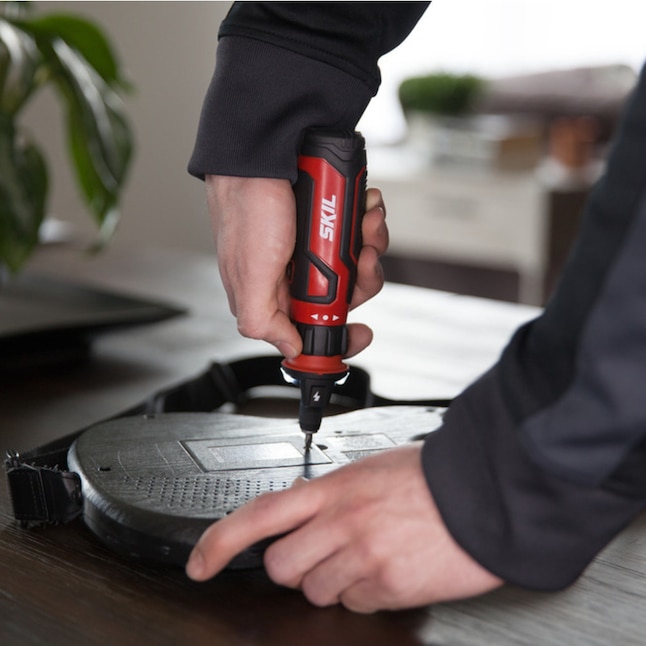
Essential Tools List
- 10 mm, 13 mm, and 14 mm wrenches (or ½ inch for some models)
- Long Phillips screwdriver (magnetic tip preferred)
- Adjustable wrench or socket set
- Small flashlight for visibility
- Protective padding (towel or cardboard)
Most Jazzy models use standard hardware, but sizes vary. The 10 mm wrench fits Jazzy Select and Air 2, while Evo 614 HD often requires both 13 mm and 14 mm. A long screwdriver helps reach shroud screws under the seat.
Choose Correct Replacement Batteries
Always install two identical 12V batteries with matching voltage, amp-hour (Ah) rating, and physical dimensions. Common configurations include:
– 12V 18Ah – Jazzy Go-Chair, Air 2
– 12V 22Ah – Elite HD, Evo 614
– 12V 35Ah – Jazzy Select, HD models
Stick to sealed lead acid (AGM or Gel) unless your model supports lithium-ion. Never mix old and new batteries or different chemistries—this creates imbalance and reduces performance.
Replace Battery on Jazzy Select
Remove Seat and Back Shroud
Push the side lever forward on the seat track and lift the seat straight off. On Select GT models, this lever is on the right-hand side. Once removed, lift the back shroud from the rear—it’s held by a Velcro strip. Set it aside carefully.
Disconnect and Remove Old Batteries
Locate the two batteries beneath the shroud. Unfasten the two Velcro straps securing them. Using a 10 mm wrench, loosen the bolt on each terminal. Slide off the red (positive) and black (negative) cables. Lift out the old batteries—they weigh about 15–20 lbs each.
Install New Batteries
Place the new batteries in the same orientation. Reconnect:
– Red cable to positive terminal (+)
– Black cable to negative terminal (–)
Use the lock washer and nut provided. Tighten securely with two wrenches—one holding the bolt, one turning the nut. Ensure no wobble. Reattach terminal covers and Velcro straps.
Reassemble and Test
Slide the back shroud into place, press down to engage tabs, and secure with Velcro. Lower the seat until the post clicks into the base socket. Reconnect the power cable. Power on and verify full indicator lights.
Replace Battery on Elite HD and Elite 14
Access Rear Cover
Locate two yellow plastic tabs at the back of the chair. Unscrew and remove them. Lift off the metal back cover plate to expose the battery compartment. Set screws aside safely.
Remove and Replace Batteries
Unfasten the Velcro strap over both batteries. Disconnect the two cables—red to red, black to black. Use a ½ inch or 13/14 mm wrench to loosen terminal bolts. Slide cables off, then remove old batteries.
Insert new batteries, ensuring correct alignment. Reconnect cables with proper polarity. Reuse or replace lock washers. Tighten bolts firmly—vibration can loosen connections over time.
Final Reassembly
Slide batteries fully into place. Re-secure the Velcro strap. Route cables through the internal loop and fasten with Velcro. Slide the back cover into position and reinstall the two yellow screws. Test power and responsiveness.
Replace Battery on Evo 614 HD
Two-Person Seat Removal
Turn off power and push the release lever on the right side forward. Due to the 22-inch wide seat, two people should lift it straight up. Disconnect the power cable from the base if needed.
Remove Shroud and Old Battery
Unscrew two yellow screws on the rear cover and remove it. Use a Phillips screwdriver to remove two screws on the battery shroud. Lift it off to access the battery.
Disconnect the battery and motor cables. Undo the Velcro straps. Each battery has two terminal connections (13 mm and 14 mm bolts). Remove bolts, washers, and nuts. Slide the battery forward and pull out from the front.
Install New Battery
Slide the new battery into the channel. Reconnect:
– Positive to positive
– Negative to negative
Use washer, lock washer, and nut on each bolt. Tighten securely. Repeat for second battery. Reconnect each battery to its dedicated motor connector—do not cross wires.
Reassemble with Care
Secure Velcro straps over both batteries. Reinstall the shroud—route the cable through the hole and snap into slots. Replace rear cover and tighten yellow screws. Reinstall seat with help, align the post, and reconnect power.
Replace Battery on Jazzy Carbon: The Easiest Model
Slide-Out Battery Access
Locate the small lever under the battery compartment. Pull it forward to release the lock. The entire lithium-ion battery pack slides out smoothly—no tools or wiring disconnection needed.
Hot-Swappable Design
The Jazzy Carbon uses a modular, hot-swappable pack. You can remove it while powered (though safer to turn off first). Charge on-board via the side port or off-board at home or in the car.
Reinsert and Confirm
Slide the new or charged pack back into the channel until it clicks. Power on—the battery indicator should show full. No terminal work required, making this the easiest Jazzy model to service.
Ensure Correct Electrical Connections

Use Proper Terminal Hardware
Each connection includes:
– Bolt (10 mm, 13 mm, or 14 mm)
– Washer
– Lock washer (prevents vibration loosening)
– Nut
Always use two wrenches—one to hold the bolt, one to tighten the nut. A loose connection causes voltage drops, overheating, and intermittent power.
Verify Polarity Before Powering
Double-check:
– Red cable → Positive (+) terminal
– Black cable → Negative (–) terminal
Reversing polarity can destroy the motor controller—a costly repair. When in doubt, consult the manual or take a photo before disconnecting.
Complete Reassembly and Final Checks
Reconnect All Components
Ensure all cables are fully seated, especially the joystick and motor connectors. Reinstall shrouds, covers, and screws. Reattach the seat and confirm it’s stable. For models with quick-disconnect harnesses, plug in firmly until you hear a click.
Perform Operational Test
Power on the chair. Test:
– Forward and reverse movement
– Left and right turns
– Full speed and braking
Listen for grinding or clicking noises. Verify the battery gauge shows full. If the chair doesn’t respond, check:
– Brake levers in “drive” mode
– Power cable connection
– Circuit breaker reset (press red button if present)
Charge and Break In New Batteries
Initial 12-Hour Charge
Plug in the charger and let it run for at least 12 hours, even if the light turns green sooner. This ensures full saturation of the new battery plates. Use only the manufacturer-approved charger—mismatched chargers can damage cells.
Perform Break-In Cycles
To maximize lifespan and capacity:
1. Fully charge batteries.
2. Use chair until battery drops to ~30% (not zero).
3. Recharge fully.
4. Repeat 3–4 times.
This cycling activates the internal chemistry and improves long-term performance. Never deep-discharge new batteries.
Maintain Batteries for Long Life
Charge Weekly, Even When Unused
SLA batteries self-discharge over time. If left uncharged for weeks, they can drop below recovery voltage. Charge at least once a week, even with limited use.
Avoid Deep Discharges
Recharge when the battery level reaches 30–50%. Frequent deep discharges shorten lifespan. Don’t wait until the chair stops.
Store in Moderate Temperatures
Keep the chair in a cool, dry place between 50°F and 80°F. Avoid garages or vehicles in extreme heat or cold. Temperatures below 32°F reduce output; above 86°F accelerate degradation.
Clean Terminals Monthly
Wipe terminals with a dry cloth. If corrosion appears (white powder), disconnect power and clean with a baking soda and water solution, then dry thoroughly.