
Your Jazzy wheelchair isn’t charging. The charger lights are off, stuck on red, or flashing green—leaving you stranded and frustrated. You’re not alone. This is one of the most common issues faced by Jazzy Select and other Pride Mobility power chair users, especially after storage or infrequent use. The good news? Most charging problems can be diagnosed and resolved at home—without costly service calls.
The primary cause of a Jazzy wheelchair failing to charge is battery degradation, particularly after three to six months of inactivity. Sealed lead-acid batteries sulfate when left uncharged, forming crystals that permanently reduce capacity. But before replacing the battery—often the most expensive fix—rule out simpler causes: a blown fuse, tripped circuit breaker, bad wall outlet, or faulty charger.
In this guide, you’ll learn how to diagnose every part of the charging system, interpret indicator lights correctly (including why a flashing green light means it’s working), and follow a step-by-step process to restore power. Whether you’re troubleshooting after long-term storage, dealing with sudden failure, or maintaining your chair for long-term reliability, this article gives you the tools to fix it fast—and keep your mobility.
Decode Charger Light Signals

Red Light Only: No Charging
If your charger shows a solid red power light but the charging light never turns on, the system isn’t engaging. This usually means the battery is too dead to accept a charge, or there’s a break in the circuit.
Common causes:
– Battery deeply discharged or sulfated
– Blown fuse
– Tripped circuit breaker
– Loose or damaged connector
– Faulty charger
What to check:
– Plug the charger into the wheelchair first, then the wall—reverse order can damage electronics
– Test the wall outlet with a lamp or phone charger
– Inspect the three-pin connector for bent prongs, corrosion, or debris
– Ensure the plug clicks fully into the joystick port
⚠️ Pro Tip: Always connect the charger to the chair before plugging into the wall. Doing it the other way risks a power surge that can fry the control board.
Flashing Green: Final Charge Phase (Not a Problem!)
A flashing green charging light is normal behavior, not a malfunction. Newer Jazzy Select models use smart chargers that switch to a float or maintenance mode during the last 5% of charging. This prevents overcharging and extends battery life.
- Normal sequence: Red → Solid Green → Flashing Green for 30–60 minutes → Off or steady green
- Full charge time: 8–12 hours from empty
- Solid green = fully charged and safe to unplug
❌ Myth Busting: Many users panic when they see flashing green, thinking it means “charging failed.” If the light turned from red to flashing green, the charger is working correctly.
Check the Fuse First
Locate and Inspect the Fuse
The fuse protects your Jazzy’s electrical system from surges. A blown fuse stops charging instantly—even if the battery and charger are fine.
Where to find it:
– Near the battery compartment (under the seat or rear shroud)
– Look for an inline fuse holder—a clear plastic tube with metal ends
Visual inspection:
– Hold it up to the light
– Look for:
– Broken filament (a gap in the metal wire)
– Discoloration (black or brown marks)
– Melted casing
If you see any of these, the fuse is blown.
Test with a Multimeter
If the fuse looks okay but you’re unsure, test for continuity:
- Set your multimeter to continuity mode (beep symbol)
- Touch one probe to each metal end of the fuse
- Beep = good fuse
- No sound = blown fuse
Replace it with the same amperage—usually 30A or 40A (check your manual or old fuse label).
✅ Quick Fix: A $5 fuse replacement can save you from buying a new battery or charger unnecessarily.
Reset the Circuit Breaker
Find the Reset Button
Jazzy wheelchairs have a thermal circuit breaker that trips during overload or overheating. Unlike a fuse, it can be reset.
Location:
– Near the battery pack or motor controller
– Look for a small red or black push-button
How to Reset
- Press the button firmly until it clicks
- Hold for 1–2 seconds
- Some models require multiple presses if it’s been tripped for a while
Note: If the button feels mushy or won’t stay in, the breaker may be faulty.
Test After Reset
- Plug in the charger (chair first!)
- Watch for:
- Charging light turning red
- Joystick display powering on
🔍 Real-World Case: One user reset the breaker but saw no change in lights. This ruled out the breaker and pointed to a dead battery—proving why testing beats guessing.
Test the Charger Output
Use a Multimeter to Verify Voltage
A bad charger is a common culprit—and easy to test.
Steps:
1. Set multimeter to DC volts (20V or 50V range)
2. Insert red probe into one outer pin of charger plug
3. Insert black probe into the other outer pin (center is ground)
4. Plug charger into wall outlet
Expected reading:
– ~29.4V for a 24V system (normal float voltage)
– Below 24V or 0V = charger is defective
📌 Critical: Never use aftermarket chargers. They often deliver incorrect voltage, leading to undercharging or battery damage.
Check Physical Condition
Inspect the charger for:
– Burn marks on the plug or housing
– Frayed wires near the connector
– Overheating (too hot to touch)
Replacement rule: Only use Pride Mobility-approved chargers. Match the model (e.g., Jazzy Select 6, Jazzy Air).
Diagnose Battery Failure
Why Batteries Die
Jazzy chairs use two 12V sealed lead-acid (SLA) batteries in series (24V system). They degrade when:
– Left uncharged for 3+ months
– Regularly drained below 25%
– Exposed to extreme heat or cold
Sulfation—crystal buildup on plates—is the main cause of permanent failure.
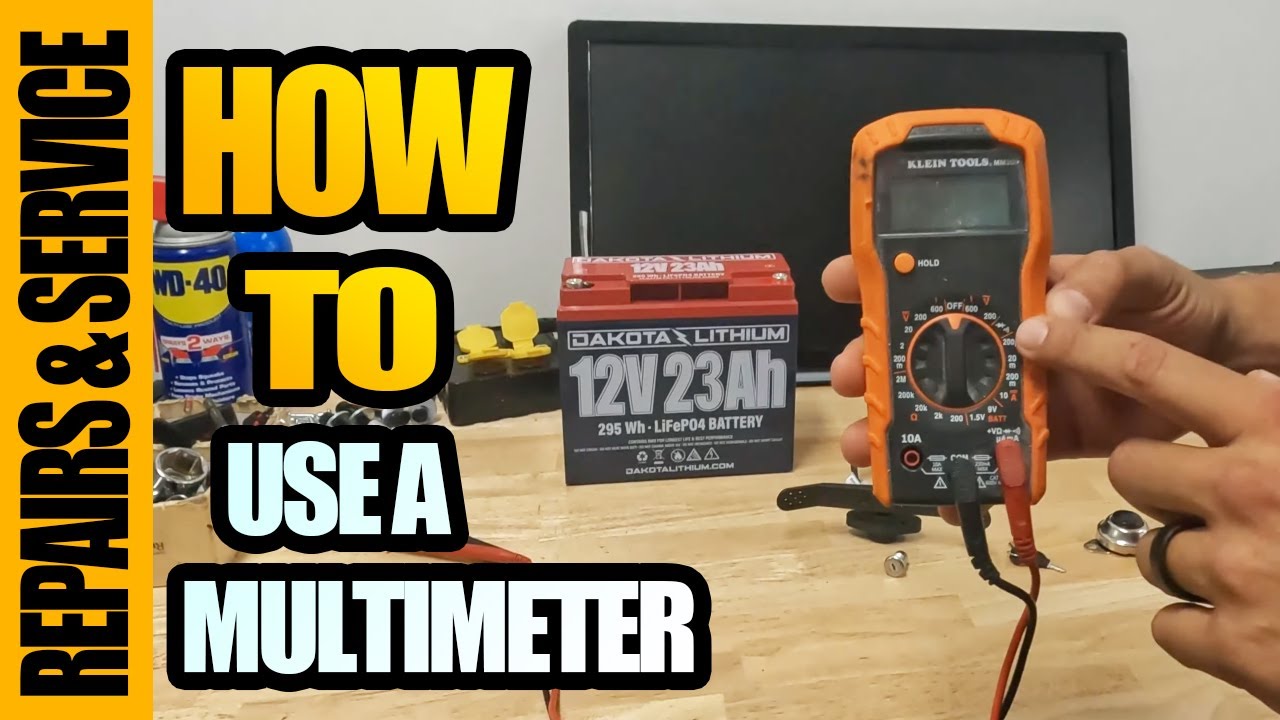
Test Battery Voltage
Use a multimeter on each battery:
- Disconnect both batteries
- Set multimeter to DC volts
- Touch probes to + and – terminals
Interpret results:
| Voltage | Condition |
|---|---|
| 12.6–12.8V | Fully charged |
| 12.4V | 75% charged |
| 12.0V | 50% charged |
| Below 11.5V | Sulfated or dead |
| 0V | Open circuit—replace immediately |
⚠️ Warning: If one battery reads normal and the other is below 11V, replace both. Mismatched batteries cause imbalance.
Signs of Permanent Damage
- No voltage after 12 hours on charger
- Swollen or bulging case
- Acid leaks or corrosion
- Chair powers on briefly but shuts down under load
Bottom line: If the battery sat unused for 6 months or more, assume it’s dead—even if lights flicker.
Follow Correct Charging Sequence
Plug In Chair First
The right order protects your electronics:
- Connect charger to wheelchair
- Then plug into wall outlet
Why it matters:
– Prevents power surge to the control board
– Reduces risk of damaging the charging circuit
✅ Pro Tip: Make this a habit—even when in a hurry. It takes 2 extra seconds and saves hundreds in repairs.
Prevent Storage-Related Failures
Long-Term Storage Rules
If not using the chair for over 30 days:
- Charge fully before storage
- Turn off power switch (if equipped)
- Store in a cool, dry place (50–75°F ideal)
- Recharge every 30–45 days
❌ Mistake to avoid: Storing a partially charged battery. Even 3 months can kill it.
Wake Up After Storage
If the chair sat unused:
1. Inspect fuse and reset breaker
2. Plug in charger (chair first!)
3. Watch lights for 5 minutes
4. If no response, test battery voltage
5. Replace if below 11.5V per unit
Real case: A user stored their Jazzy Select for 6 months. No lights. Fuse and breaker were fine. Battery tested at 0V. Replacement restored full function—confirming storage killed the battery.
Replace Battery Properly
Choose the Right Replacement
Use AGM (Absorbent Glass Mat) deep-cycle batteries—same type as original.
Specs:
– Voltage: 12V each (two for 24V system)
– Capacity: 33–50Ah (check manual)
– Terminal type: F1 or F2 (automotive-style)
Recommended brands:
– Mighty Max
– ExpertPower
– Universal Power Group (UPG)
✅ Always replace both batteries together—even if one seems okay.
Installation Steps
- Turn off power and unplug charger
- Remove seat or access panel
- Disconnect negative terminal first, then positive
- Remove old batteries
- Install new ones—secure to prevent movement
- Reconnect positive first, then negative
- Close panel and charge for 12 hours before use
Know When to Seek Help
Contact Support If:
- Charger tests good, fuse is fine, but no charging light
- Battery voltage drops rapidly under load
- Circuit breaker trips repeatedly
- Joystick display is blank or erratic
Authorized Service Options
- Pride Mobility Customer Service: 1-800-800-8586
- Marks Mobility: www.marksmobility.com | 800-677-6293
- Local dealers: Offer on-site diagnostics and warranty service
📋 Tip: Keep receipts and serial numbers. Warranty claims require proof of purchase.
Maintain to Prevent Future Issues
Daily and Weekly Habits
- Charge after every use—even short trips
- Avoid full discharge—recharge at 25–30%
- Clean connectors monthly
- Inspect wires for damage
Environmental Care
- Never charge below 32°F (0°C)
- Avoid temperatures above 104°F (40°C)
- Store indoors
🔋 Pro Tip: Think of your wheelchair battery like a smartphone. You wouldn’t let it die to 0% daily—don’t do it to your chair.
Final Note: A Jazzy wheelchair not charging is usually not a mystery—it’s a system failure with clear signs. Start with the lights, check the fuse and breaker, test the charger, and assess the battery. In most cases, battery replacement is the solution, especially after long storage. But by following these steps, you’ll avoid unnecessary costs and get back to mobility faster. Stay proactive, charge regularly, and your Jazzy will keep delivering reliable performance for years.