
If you rely on a wheelchair for mobility, getting around town shouldn’t mean stress, delays, or discrimination. Knowing how to order a wheelchair accessible Uber can empower you with independence, dignity, and reliable transportation. Uber’s WAV (Wheelchair Accessible Vehicle) and Uber Access services are specifically designed for riders who need ramps, lifts, and secure space to remain seated in their wheelchairs during a ride. Whether you’re heading to a doctor’s appointment, visiting family, or commuting to work, these inclusive options ensure you’re not left behind.
This guide walks you through every step of booking a wheelchair accessible Uber—from choosing the right ride type to verifying your vehicle, understanding pricing, and standing up for your rights if a driver refuses service. You’ll also learn where these services are available, how to book in advance, and what alternatives exist when no WAV vehicle is nearby. With clear, actionable steps and real-world tips, you’ll be ready to use Uber confidently and safely—anytime it’s offered.
Choose the Right Uber Accessibility Option
Uber offers several ride types tailored to different mobility needs. Selecting the correct one ensures you get the right vehicle and experience.
Understand Uber WAV vs. Uber Access
Uber WAV (Wheelchair Accessible Vehicle) is available in major U.S. cities and allows riders to stay in their wheelchairs during the trip. These vehicles come equipped with ramps or lifts, securement systems like tie-downs, and ample interior space to accommodate most power and manual wheelchairs. You don’t need to transfer to a seat—your wheelchair becomes your seat.
In the UK and other international markets, this same service is labeled Uber Access. The functionality is identical: forward-facing ramp entry, securement points, and room for mobility aids. The name change helps users in those regions quickly identify the service based on local terminology.
Both Uber WAV and Uber Access are priced the same as UberX, with no extra fees for accessibility. This means you get equal access and fair pricing—no surcharge for inclusion.
When to Use Uber Assist
Choose Uber Assist if you don’t require a ramp but need help boarding, folding a walker, or storing a manual wheelchair. Drivers who offer Uber Assist complete disability awareness training developed with organizations like Transport for All and Inclusion London. They learn respectful communication, physical assistance techniques, and how to support riders with invisible disabilities.
Important: Uber Assist vehicles are not wheelchair accessible. They do not have ramps or lifts. Only use this option if you can exit your wheelchair and transfer into a standard car seat.
Can You Use UberX with a Folding Wheelchair?
Yes. If you use a portable or folding wheelchair, you can book UberX. Drivers must store your device in the trunk and cannot refuse service based on disability. Service animals are also allowed in all UberX vehicles.
However, if a driver claims a medical exemption (like a severe allergy), they must show documentation and help you rebook. Refusing a service animal without proof violates the ADA in the U.S. and the Equality Act in the UK.
Try UberXL for Manual Wheelchairs
If you use a manual wheelchair and can transfer to a seat, UberXL may work. These larger SUVs or minivans have more cargo space, allowing your wheelchair to be stored unfolded in the back.
But remember: UberXL vehicles do not have ramps or lifts. They are not suitable for power wheelchair users who cannot exit their chairs.
Request a Wheelchair Accessible Ride in 4 Steps
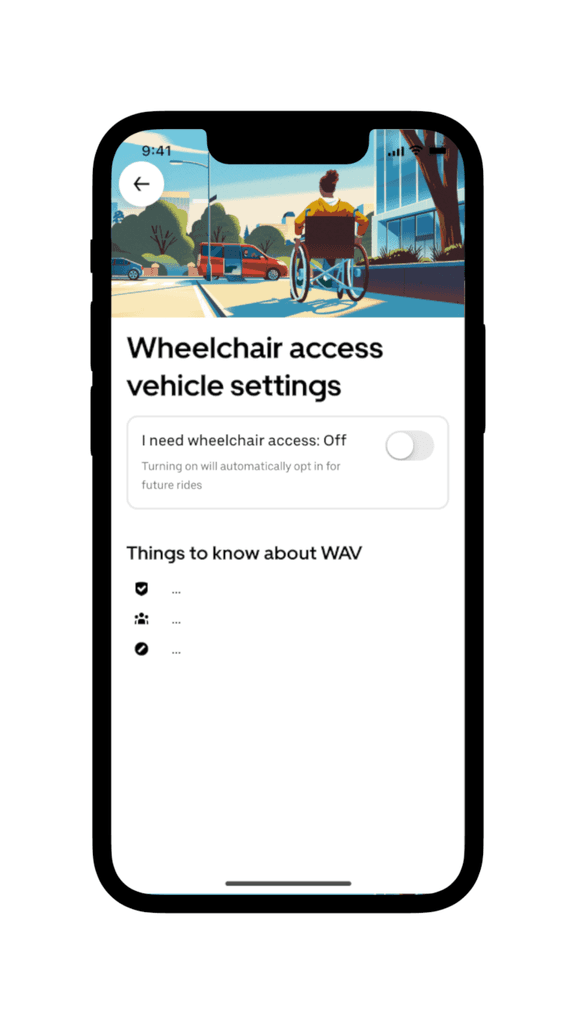
Booking a WAV or Access ride is simple once you know where to look.
Step 1: Open the Uber App and Enter Destination
Launch the latest version of the Uber app and log in. Tap “Where to?” and enter your destination. Make sure your pickup location is accurate—drag the GPS pin manually if it lands on stairs, grass, or an inaccessible curb.
Step 2: Select WAV or Access Ride Option
After entering your destination, scroll through the ride choices at the bottom. Look for:
- WAV (in the U.S. and select global cities)
- ACCESS (in the UK and other regions)
Tap the option to proceed. In some areas, you may need to apply a promo code to unlock WAV availability—check Uber’s accessibility page or local disability advocacy groups for current codes.
Step 3: Confirm Your Ride
Tap “Confirm WAV” or “Confirm ACCESS.” A brief verification screen might appear asking you to confirm your need for a wheelchair-accessible vehicle—this helps prevent misuse of the service.
Step 4: Wait for Your Match
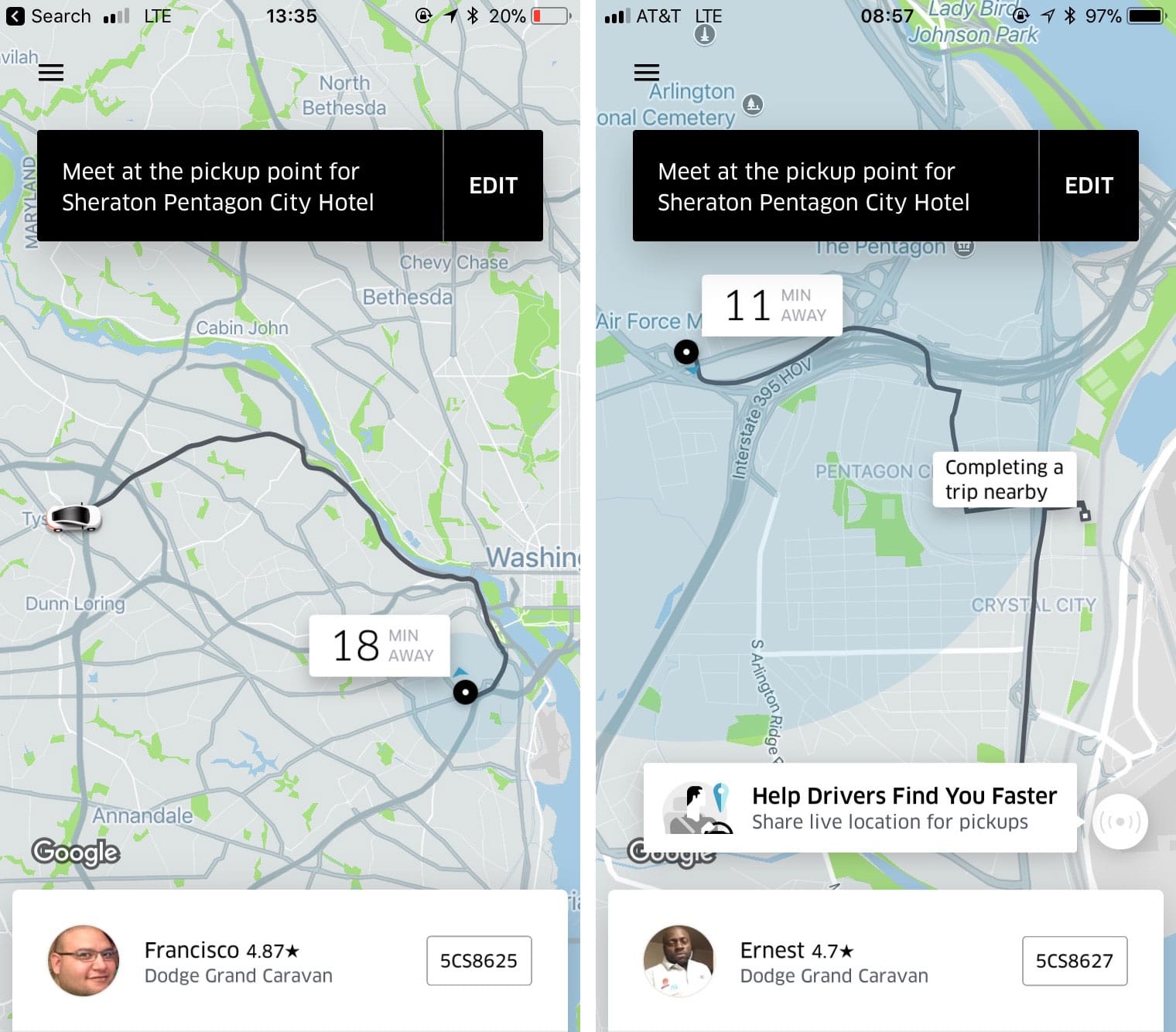
Uber will match you with a nearby driver. Estimated wait times range from 5 to 25 minutes, depending on your city and demand.
You’ll see:
– Driver’s name and photo
– Vehicle make, model, and license plate
– Real-time map tracking
Use this info to verify the car when it arrives.
Verify the Vehicle Before Boarding
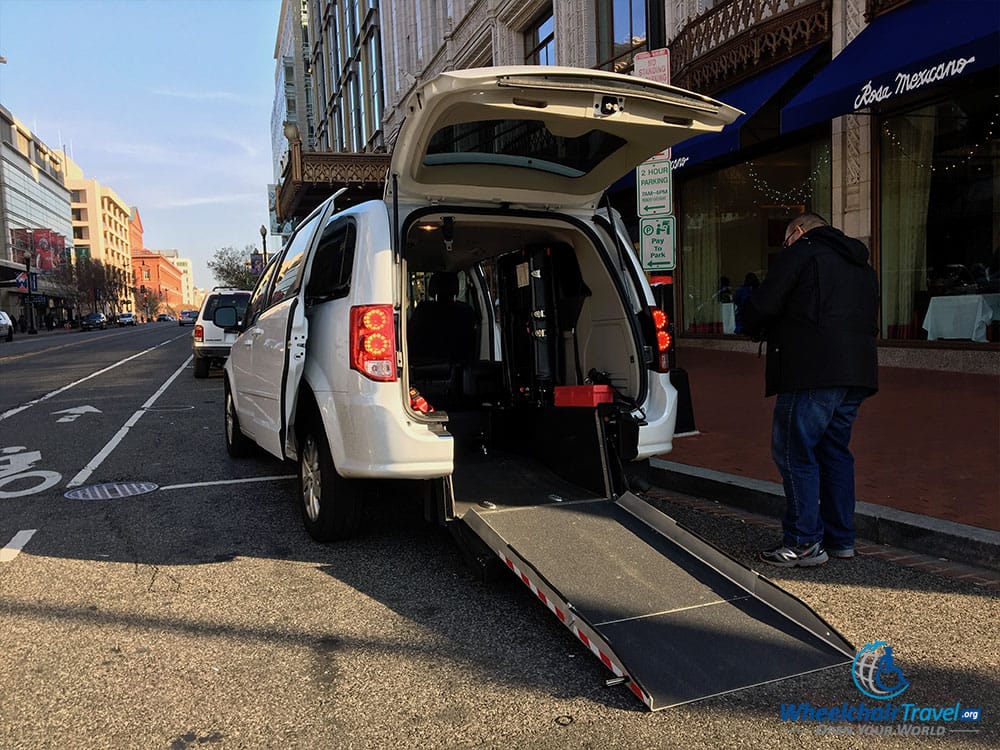
Never assume the arriving car is accessible—always double-check.
Check for Ramp or Lift
When the vehicle arrives, ensure it has:
– A visible ramp or lift
– Interior space for your wheelchair
– No obstructions in the back or cargo area
If the car looks like a standard sedan or SUV without accessibility features, do not get in. Contact the driver via in-app messaging or call to clarify. If it’s the wrong vehicle, cancel the trip and report the issue.
Confirm Driver Assistance Readiness
The driver should:
– Know how to operate the ramp or lift
– Be ready to help secure your wheelchair
– Respect your preference for assistance (some riders want help; others prefer independence)
Use in-app messaging before arrival:
“I’ll be boarding in my wheelchair—please have the ramp ready.”
During and After Your Ride
A smooth experience depends on communication and knowing what to expect.
Stay Seated in Your Wheelchair
With Uber WAV or Access, you remain seated in your wheelchair during the ride. The driver will guide you into position and secure your chair using onboard tie-downs. You retain full control of your device and can request stops or route changes at any time.
Use In-App Communication Tools
Need extra time to board or a detour? Use the in-app call or message feature—your number stays private, and the conversation is recorded for safety.
Example messages:
– “I need an extra minute to board—please keep the ramp down.”
– “Can we stop at the pharmacy on the way?”
End the Trip Confidently
Upon arrival, the driver should assist with exiting and securing your wheelchair. Payment processes automatically, so you can leave the vehicle immediately.
After the ride, rate your driver to help maintain quality service. If something went wrong, tap “Report an Issue” in the app to file feedback.
Where Is Wheelchair Accessible Uber Available?
Service availability varies by region and continues to expand.
U.S. Cities with Uber WAV
Currently offered in:
– Boston
– Chicago
– Los Angeles
– New York City
– Philadelphia
– San Francisco
– Washington, D.C.
Check the Uber app in real time—availability may vary within metro areas.
International Accessible Ride Options
- Canada: Toronto
- India: Bangalore
- United Kingdom: London, Manchester, Birmingham, Wolverhampton, Leeds, Bradford, Newcastle, Brighton
In the UK, both Uber Access and Uber Assist are widely available across major urban centers.
Always verify current service by opening the app and checking for the WAV or ACCESS option after entering your destination.
Pricing: What Does a Wheelchair Accessible Uber Cost?

Good news: Uber WAV and Access rides cost the same as UberX.
There is no surcharge for booking a wheelchair accessible vehicle. Some cities even offer discounted rates or promotions to increase access.
Before confirming your ride, the app shows an upfront price estimate based on distance, time, and demand—just like any other Uber trip.
| Ride Type | Price Relative to UberX | Wheelchair Access |
|---|---|---|
| Uber WAV / Access | Same as UberX | ✅ Yes |
| Uber Assist | Same as UberX | ❌ No ramp, but trained drivers |
| UberX | Base rate | ✅ For folding wheelchairs only |
| UberXL | Higher (larger vehicle) | ❌ No ramp, more cargo space |
You get equal pricing and better service—no premium for accessibility.
Know Your Rights as a Rider
Uber complies with disability rights laws, and you have legal protections.
Service Animals Are Always Welcome
All Uber drivers must transport service animals. Only drivers with a valid medical exemption certificate can decline—and they must show proof and help you rebook.
Refusing a service animal without documentation violates the ADA (U.S.) and Equality Act (UK).
Companions and Attendants Ride Too
You can bring one or more companions in Uber WAV and Access vehicles. The number depends on available seats with seat belts. Attendants travel at no extra cost.
Inform the driver in advance if you’re traveling with support staff.
Fight Discrimination Immediately
Drivers cannot refuse service because:
– You use a wheelchair
– You have a service animal
– You need extra time to board
– You travel with an attendant
If denied:
1. Tap Menu > Help > Accessibility > Report Issue
2. Submit details and any evidence
3. Uber investigates and may deactivate the driver
You may also receive a refund or credit.
Book a Ride for Someone Else
Caregivers and family members can request a WAV ride for others.
- Open the Uber app
- Set pickup location to the rider’s address
- Choose WAV or ACCESS
- Message: “I’m booking for someone else—they’ll be in a wheelchair and need ramp access.”
- Share trip details via text
The person being picked up doesn’t need an Uber account.
What to Do If WAV Isn’t Available
Sometimes no accessible vehicles are nearby.
Switch to Uber Assist If Possible
Uber Assist has broader coverage and helps with boarding and mobility devices—but only if you can transfer to a seat.
Consider Lyft’s Wheelchair Access Option
Lyft offers Wheelchair Access in cities like Boston, Chicago, NYC, and Toronto. Enable it in Settings > Accessibility > Wheelchair Access.
Having both apps increases your chances of finding a ride.
Tips for a Better Accessible Ride Experience
- Double-check pickup accuracy—drag the pin to a curb cut or level path
- Use Uber Reserve to book up to 30 days in advance
- Waive unfair wait time charges by contacting support
- Share real-time location for easier pickup
- Book early during peak hours—WAVs fill fast
Final Note: Booking a wheelchair accessible Uber is straightforward when you know the steps. By choosing the right ride type, verifying your vehicle, and understanding your rights, you can travel with confidence. While service is still limited to major cities, Uber continues to grow its accessible fleet and improve driver training. For the most accurate information, always check the Uber app or visit Uber’s official accessibility site. With preparation and awareness, you can harness rideshare technology to enhance your independence and mobility.